
One central system for every clock-in, every branch
LanaTime 7.5 records when your employees arrive and leave, turns those punches into attendance, leave, overtime and absence, and calculates payroll from the result — all in a web browser.
Attendance overview
Today · All areas · 478 employeesAttendance rate Last 10 working days
Status breakdown
- Present412
- Late27
- Leave21
- Absent18
Live clock-insPush data · real time
- ARAisha Rahman · Main Gate · Face08:02On time
- RMRahul Menon · Warehouse · Fingerprint08:05On time
- OHOmar Al-Harbi · Riyadh Branch · Card08:11Late 11m
Devices 4 areas
- Main GateOnline
- Warehouse DockOnline
- Riyadh BranchOnline
- Jeddah BranchOffline 12m
Punches, rules and exceptions become results
1. Punches
From fingerprint, face or card terminals, from the LanaTime mobile app, or added by hand after approval.
2. Working-time rules
Timetables, shifts and schedules say when people work; rules say how lateness, absence and overtime count.
3. Exceptions
Leave, holidays, weekends, outdoor work and manual punches — usually approved by a manager.
4. Results
Calculate combines them and stores each person's attendance per day. Reports and payroll read the results.
See LanaTime 7.5
Captured from LanaTime 7.5 with fictional sample data. Select a screen to read how it works in the Help Centre.
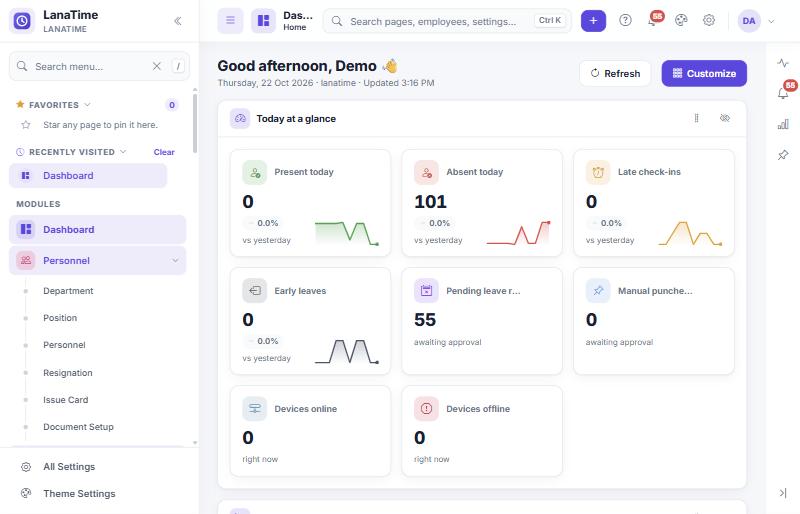
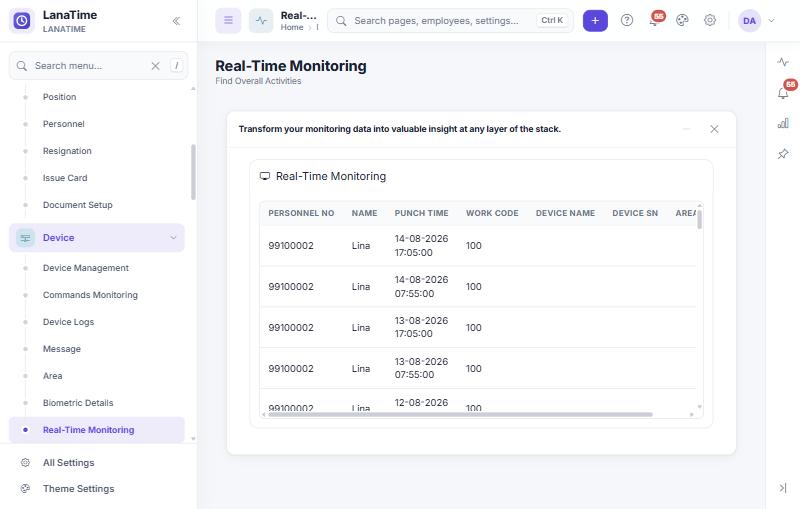
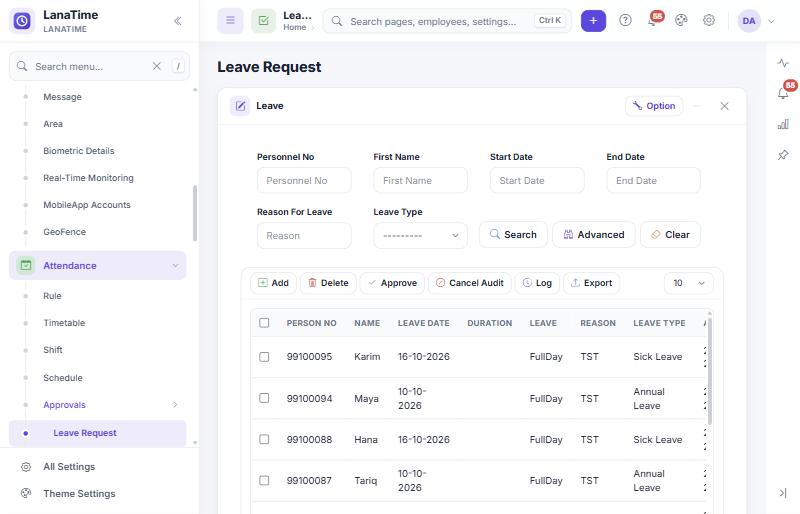
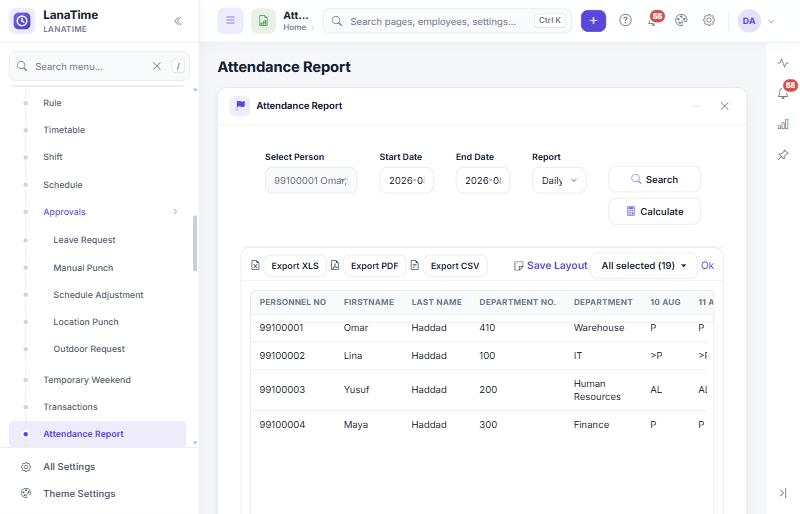
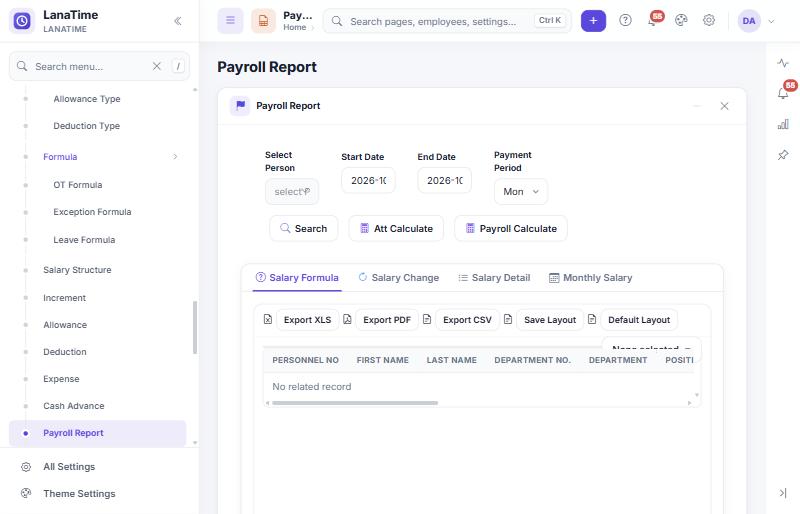
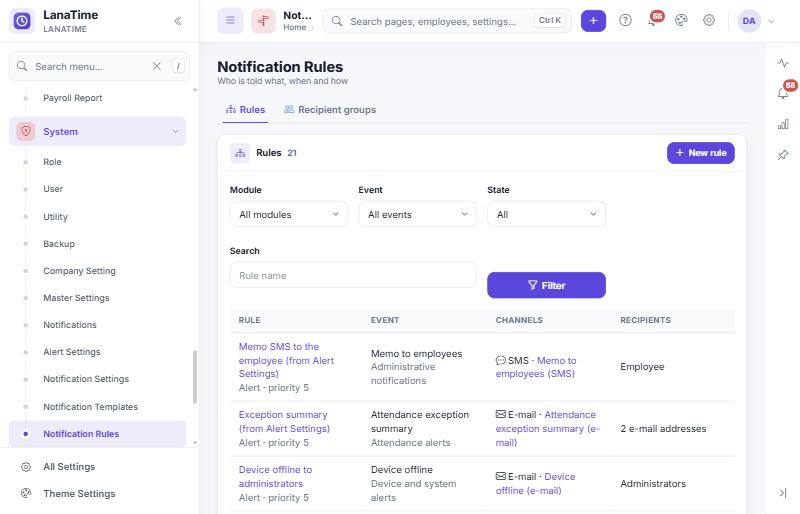
Everything in one platform
Seven modules share one employee database. What each user sees depends on their role.
Personnel
- Department
- Position
- Personnel
- Resignation
- Issue Card
- Document Setup
Device
- Device Management
- Area
- Real-Time Monitoring
- Commands Monitoring
- Device Logs
- Biometric Details
- Message
- MobileApp Accounts
- GeoFence
Attendance
- Timetable
- Shift
- Schedule
- Rule
- Holiday
- Leave Type
- Outdoor Type
- Temporary Weekend
- Approvals
- Transactions
- Attendance Report
- Statistics Report
- Custom Report
Payroll
- Basic Setting
- Formula
- Salary Structure
- Increment
- Allowance
- Deduction
- Expense
- Cash Advance
- Payroll Report
System
- Role
- User
- Company Setting
- Master Settings
- Notification Settings
- Notification Rules
- Scheduled Reports
- Backup
- API Integration
- Log
- Data Cleaning
- About
Employee pages
- Manual Punch
- Leave
- Schedule Request
- Outdoor Request
- Location Punch
- Transactions
- Attendance Reports
Plus the Dashboard. Every menu item has a step-by-step section in the Help Centre.
Cloud or on-premise — and every location connected
Choose where LanaTime runs. Either way, people work in a web browser and devices connect to one central system.
LanaTime Cloud
We host LanaTime for you. Administrators and employees sign in at lanatimecloud.com with your company short name; devices connect over the internet using push communication.
- Nothing to install on your servers
- Separate admin and employee self-service sign-in
- English and Arabic
On-premise
LanaTime is installed on your own Windows server with IIS and Microsoft SQL Server by your supplier or IT team, and activated with a licence.
- Attendance and payroll data stay in your network
- Built-in database backup and download
- Licence status and options under System › About
Built for multi-location operations
Group devices and employees into areas — a branch, a building or a site. Each device has its own time zone, LanaTime sends the employees of an area to its devices, and users can be limited to chosen departments and areas. Head office sees everything; branch administrators see their own sites.
How devices connectWhat you need
| Browser | A current Microsoft Edge, Google Chrome, Mozilla Firefox or Safari (Chrome and Edge 105+, Firefox 121+, Safari 15.4+). Internet Explorer is not supported. |
| Screen | At least 1024 pixels wide for daily work; also works on tablets and phones |
| Server (on-premise) | Windows with IIS and Microsoft SQL Server, installed by your supplier or IT team |
| Devices | Terminals with push (ADMS) communication that can reach the server over the network |
Contact us for server sizing for your number of employees and devices.
Ready to modernize your workforce management?
Discover how LanaTime 7.5 can simplify attendance management and give your team better visibility into workforce operations.
- A walkthrough built around your shifts, branches and devices
- Guidance on cloud vs. on-premise deployment and licensing
- A device compatibility check for your existing terminals